

Last month I thought September might be a little quieter, and I was wrong. I’ve learned my lesson, so no predictions for November!
October was another busy month, and its changes cover the whole of SightReader, from the moment you open the app to what happens after you finish a piece. Here are the highlights.
Review your mistakes
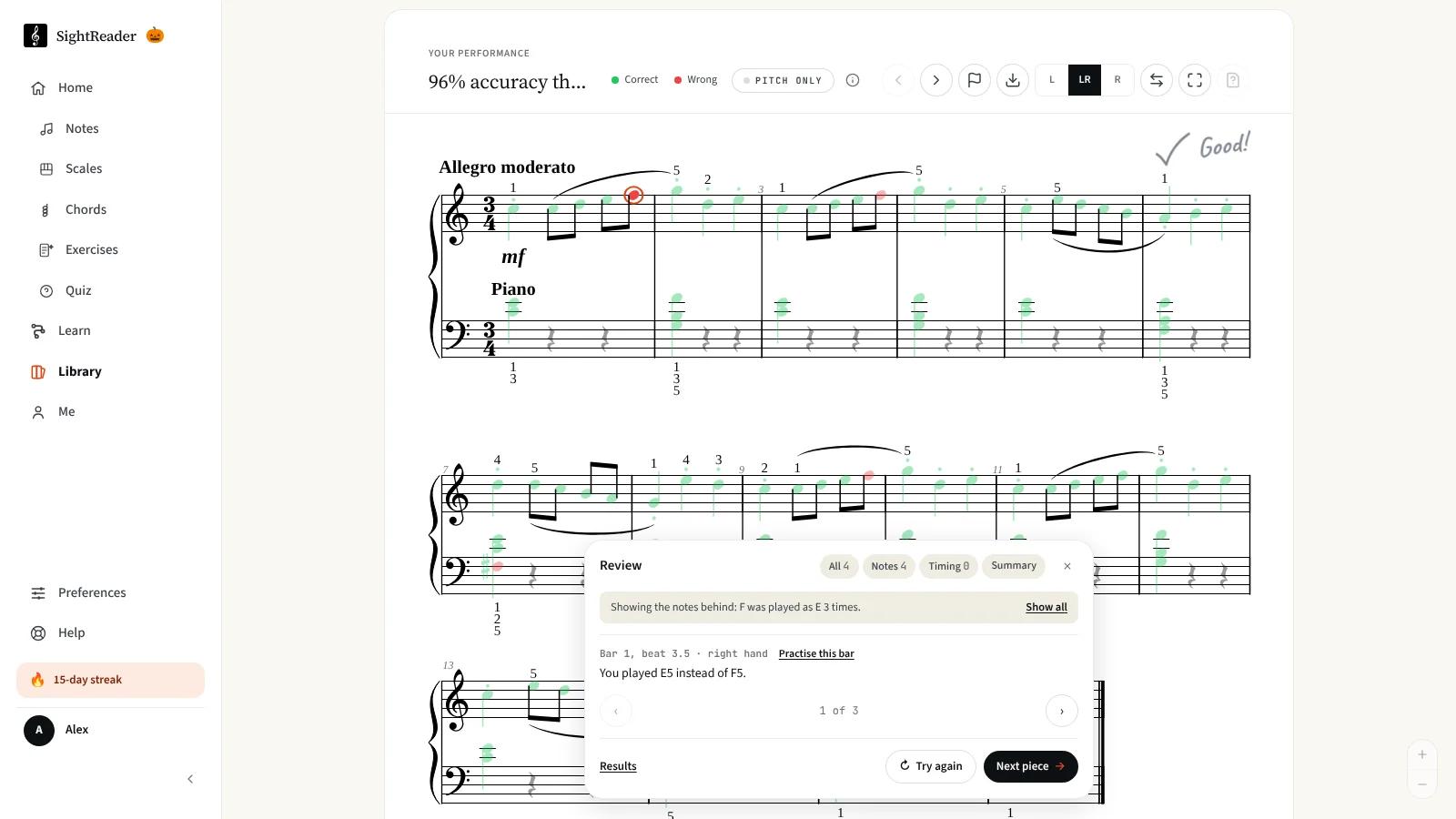
Getting a score at the end of a piece is useful. Knowing why you got that score is far more useful.
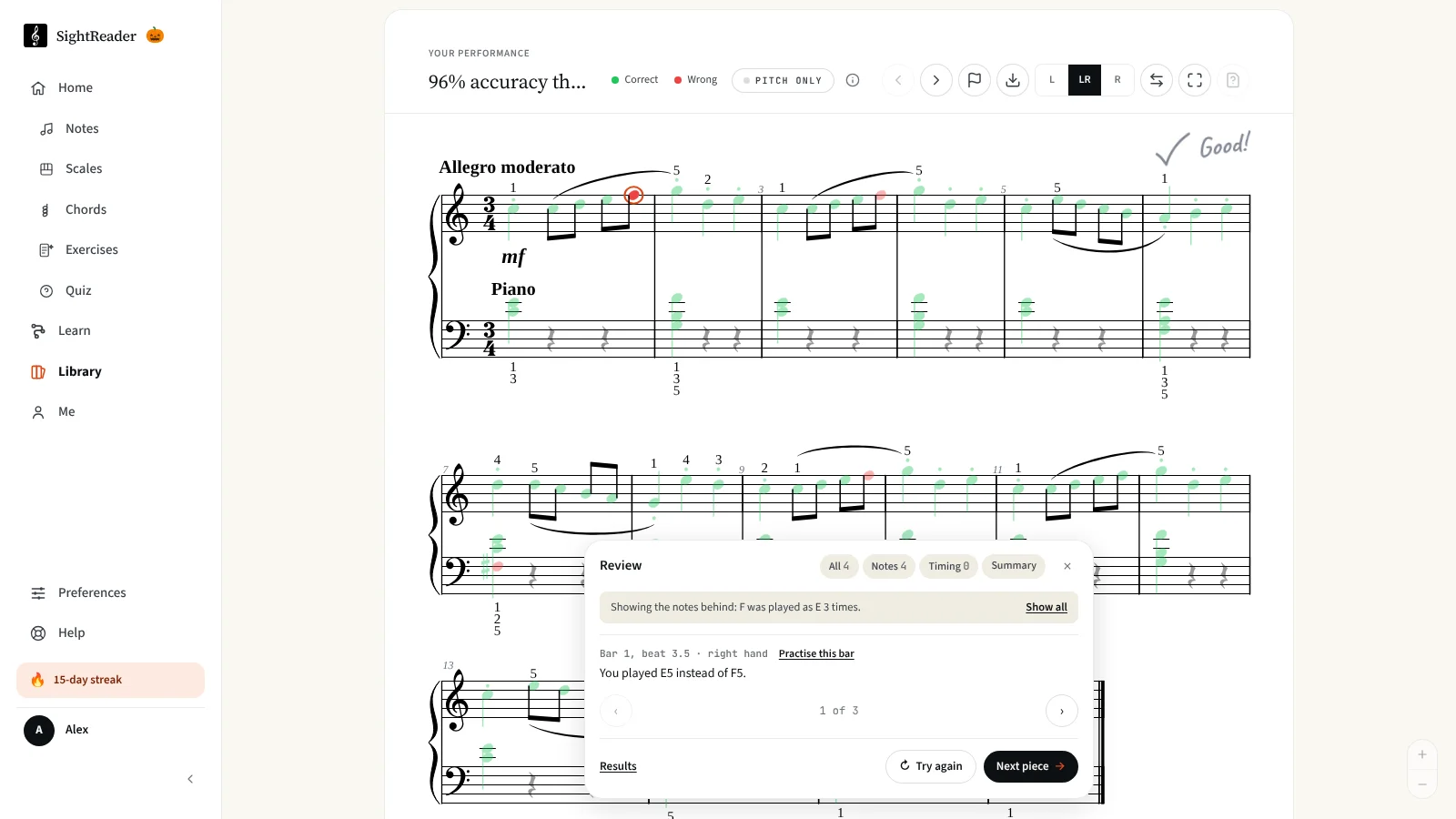
When you finish a piece, you can now open Review mistakes and step through every slip on the score: each wrong, missed, early or late note, and each note let go too soon or held into a rest. You’ll see what you played and, for timing, by how much.
It also looks for habits across the whole piece, the kind of thing a teacher would point out. Maybe you play F♯ as F every time, or rush ahead of the beat. It notices where you stopped to work a note out, the bars that ran slower or faster than the rest, and, on a MIDI keyboard, when one hand comes in after the other. Play on a touch-sensitive keyboard and it will tell you if a p came out the same as an f, or a crescendo never really grew.
Every habit it finds has a quick “Was this useful?” button, so please tell us when it gets it right, and when it doesn’t.
Practise just the bars you find hard
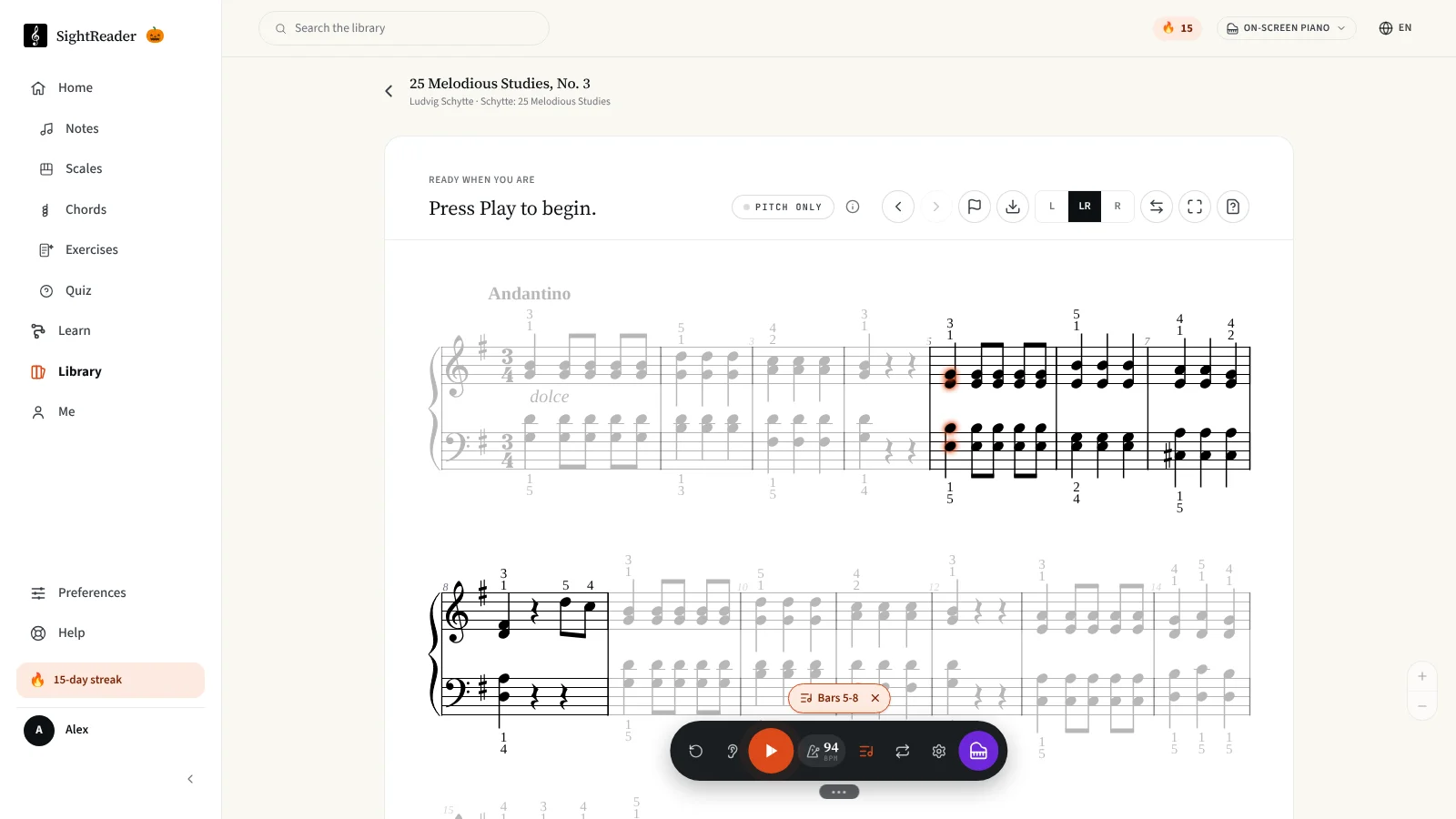
Most pieces have one or two places that trip you up. Until now, the only way to practise them was to play the whole piece again.
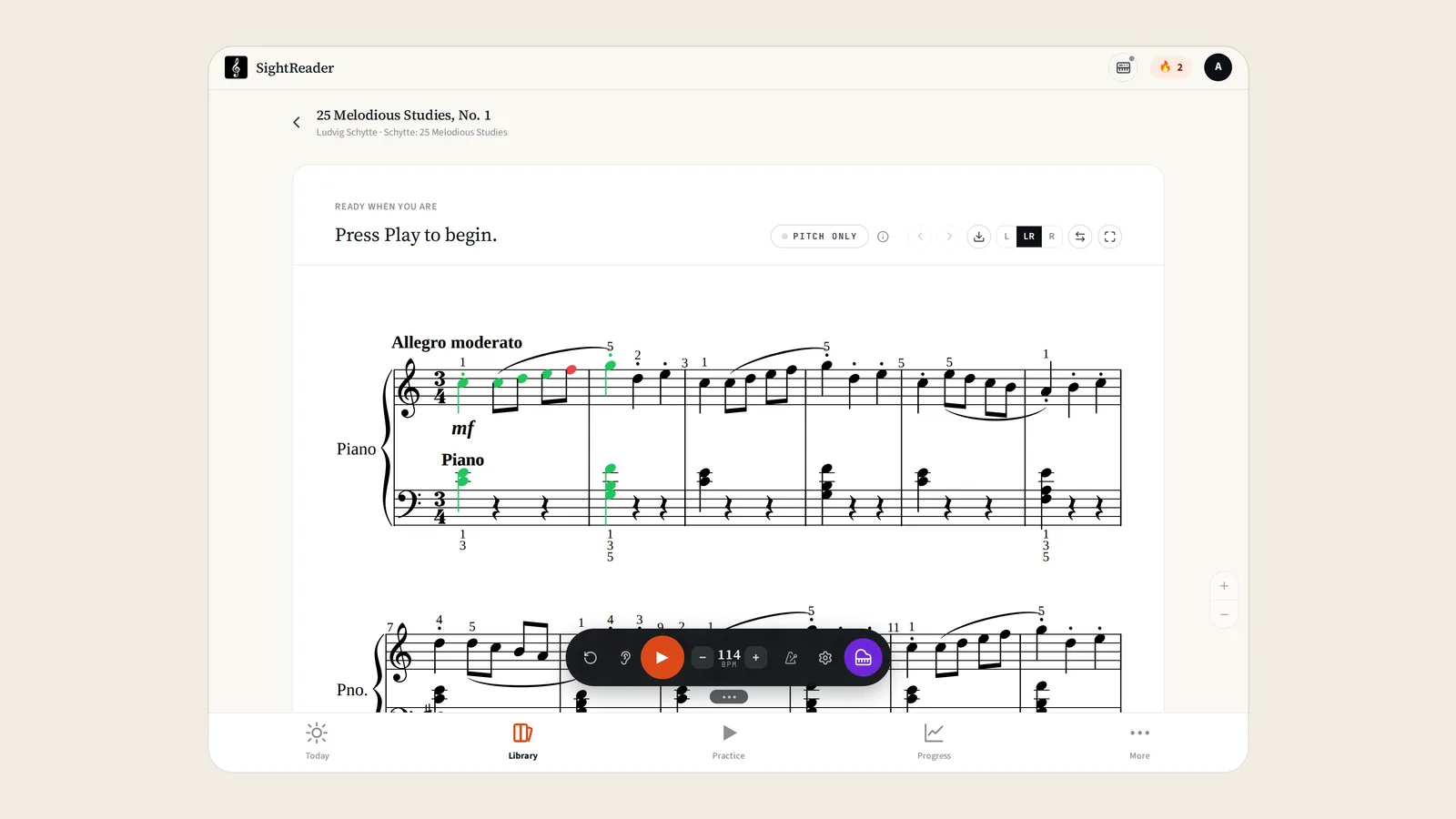
Now you can press and hold a bar on the score, tap the last bar you want, and only those bars are played and marked. If a run goes wrong in one place, a Practise bars button appears at the end to take you straight there. Practising some bars counts towards your streak, but to earn stars you still need to play the whole piece.
The controls under the score have been reworked to go with it. The tempo and the metronome now share a single button: drag it to change the speed, or tap it to pick a tempo by its marking, from Largo to Presto. Beside it, Repeat goes round the piece (or your chosen bars) until you stop, or tap it twice to keep going until you get 3 stars.
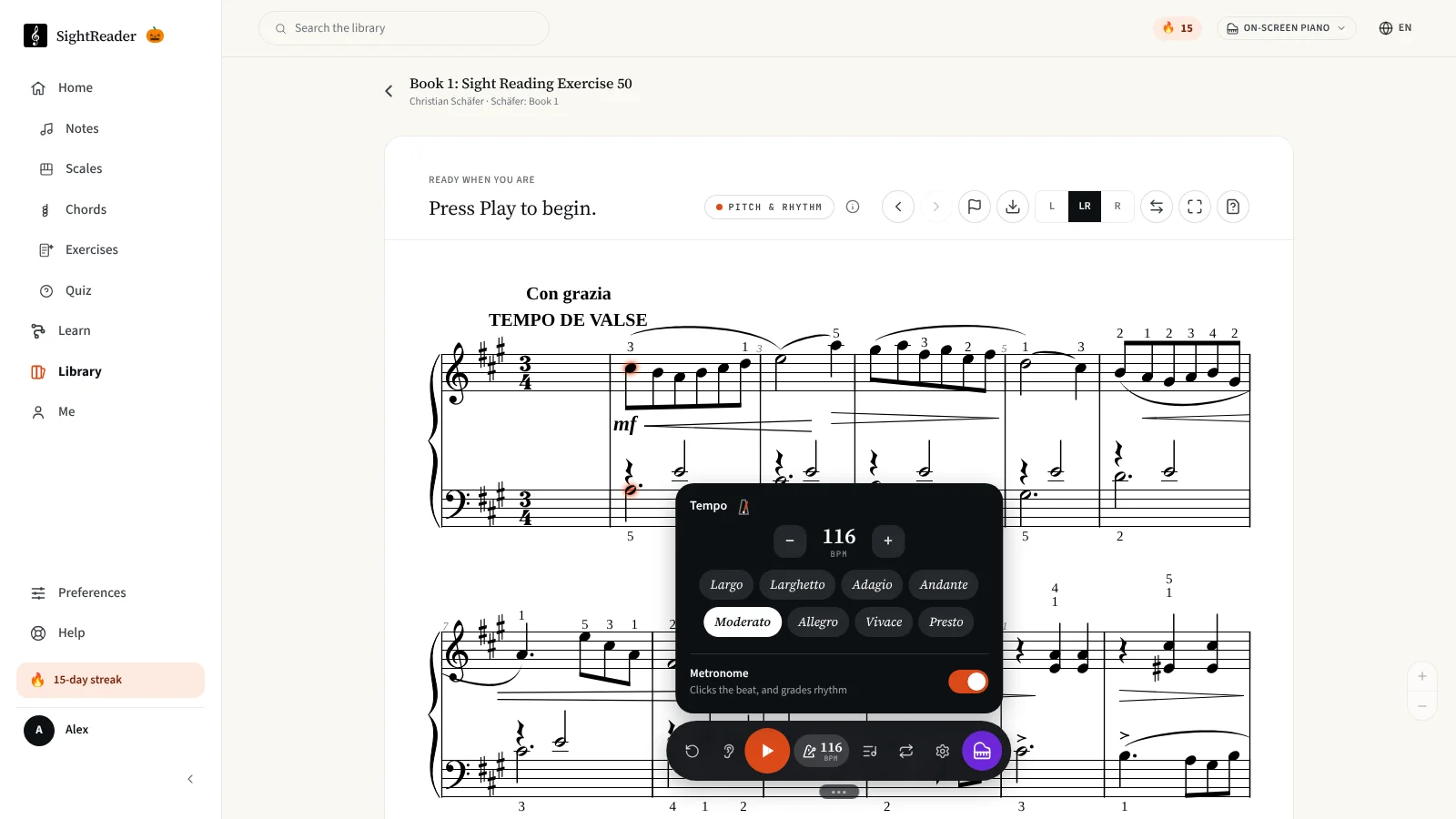
Every piece also now keeps two sets of stars, one for Pitch Only and one for Pitch & Rhythm, so you can see which pieces you’ve played perfectly in time as well as in tune. Teachers can ask for Pitch & Rhythm stars on an assignment.
Notes, scales and chords, level by level
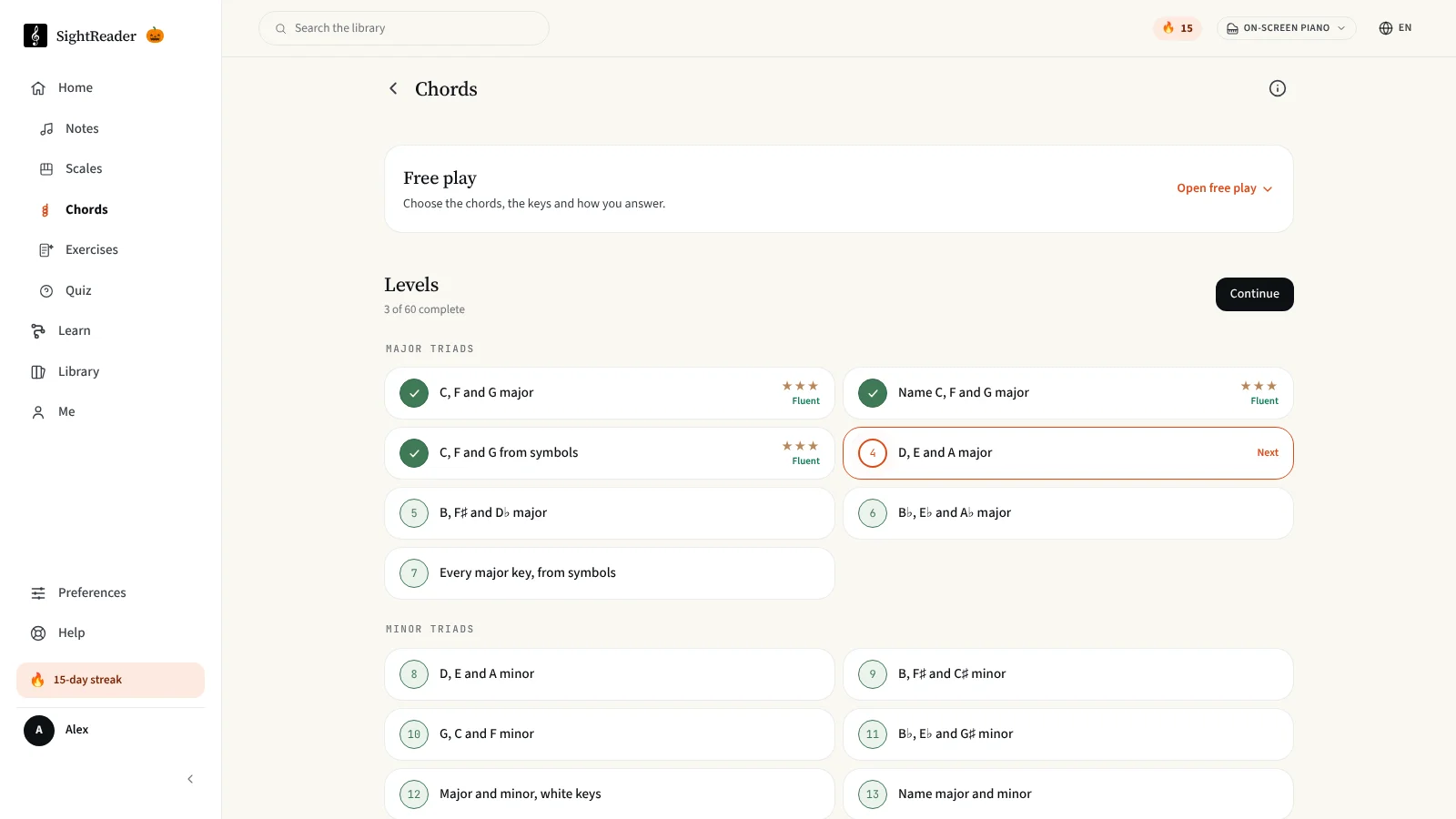
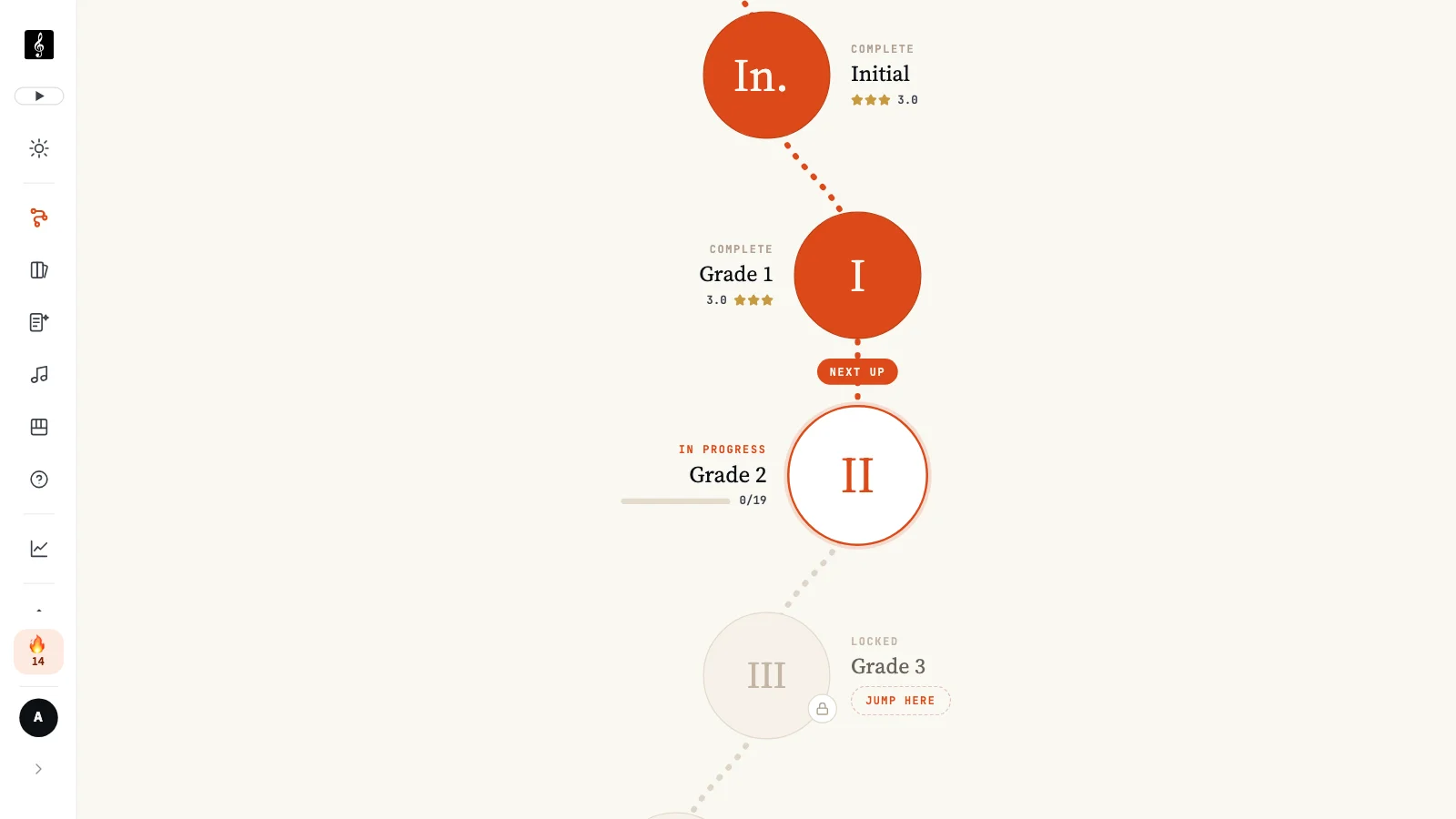
The drills used to be blank pages: choose your settings and off you go. That’s great if you know what to practise, but less helpful if you don’t. Now each one is a series of short levels, and every level is open, so you can start wherever you like.
- Notes has 39 levels, from middle C through both clefs, ledger lines, key signatures and accidentals. After each round, a stave shows how you got on with every note, and there are one-minute sprints if you like a challenge.
- Scales has 36 levels, going round the circle of fifths from C major, with each major scale followed by its relative harmonic and melodic minors.
- Chords is brand new, with 60 levels: major and minor triads, Roman numerals, inversions, sevenths, and on through 9ths to 13ths and jazz voicings. Play chords from the score or from chord symbols, or name them. The first five units are free.
Free play is still there in each one if you’d rather set up your own drill.
Over in Exercises, you can now play hands together from Initial upwards, with a simple left-hand part to get you used to reading two staves at once. If an exercise is worth passing on, press Share under the score to send a link to that exact piece of music.
A simpler app, from the very first note
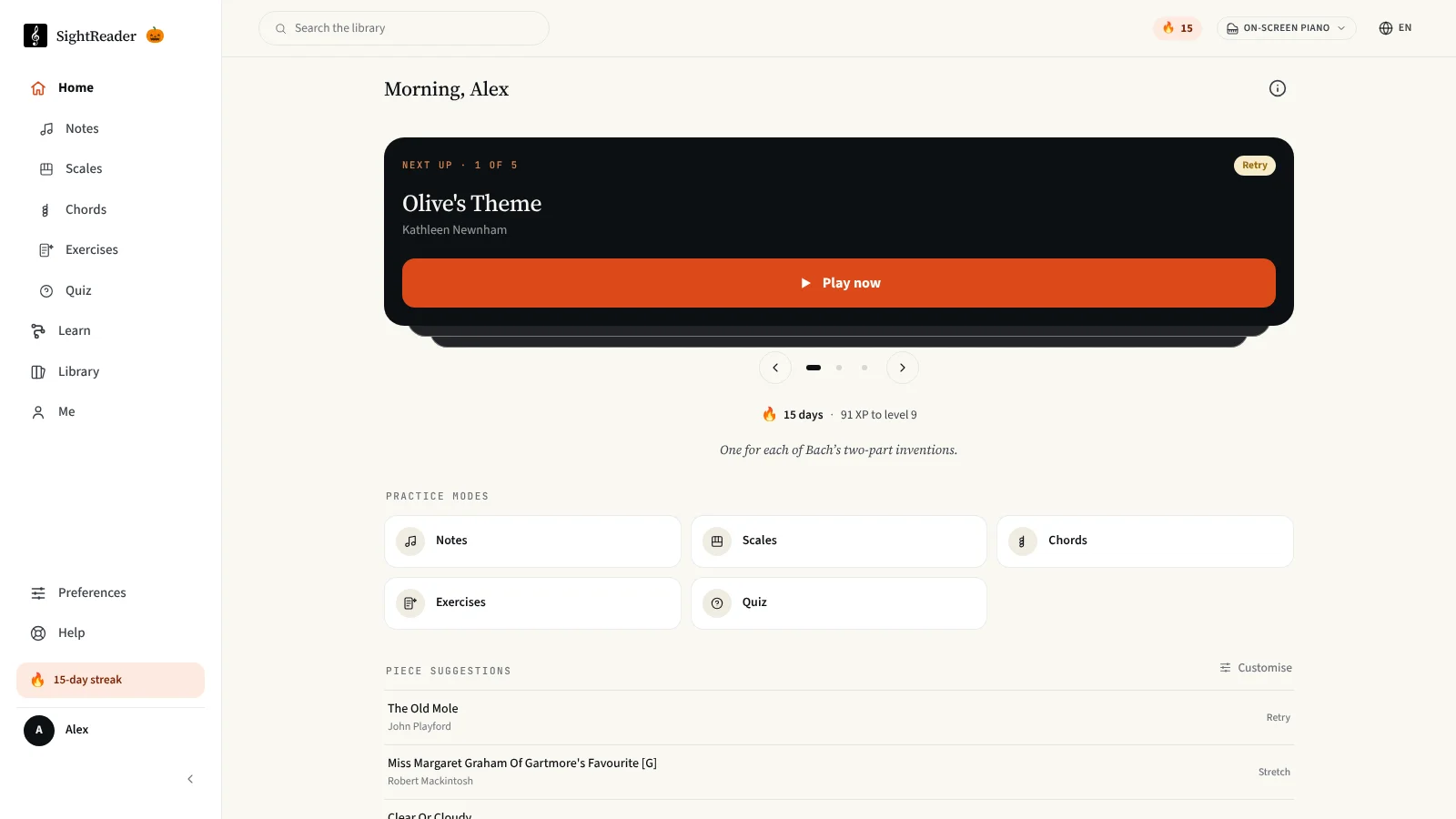
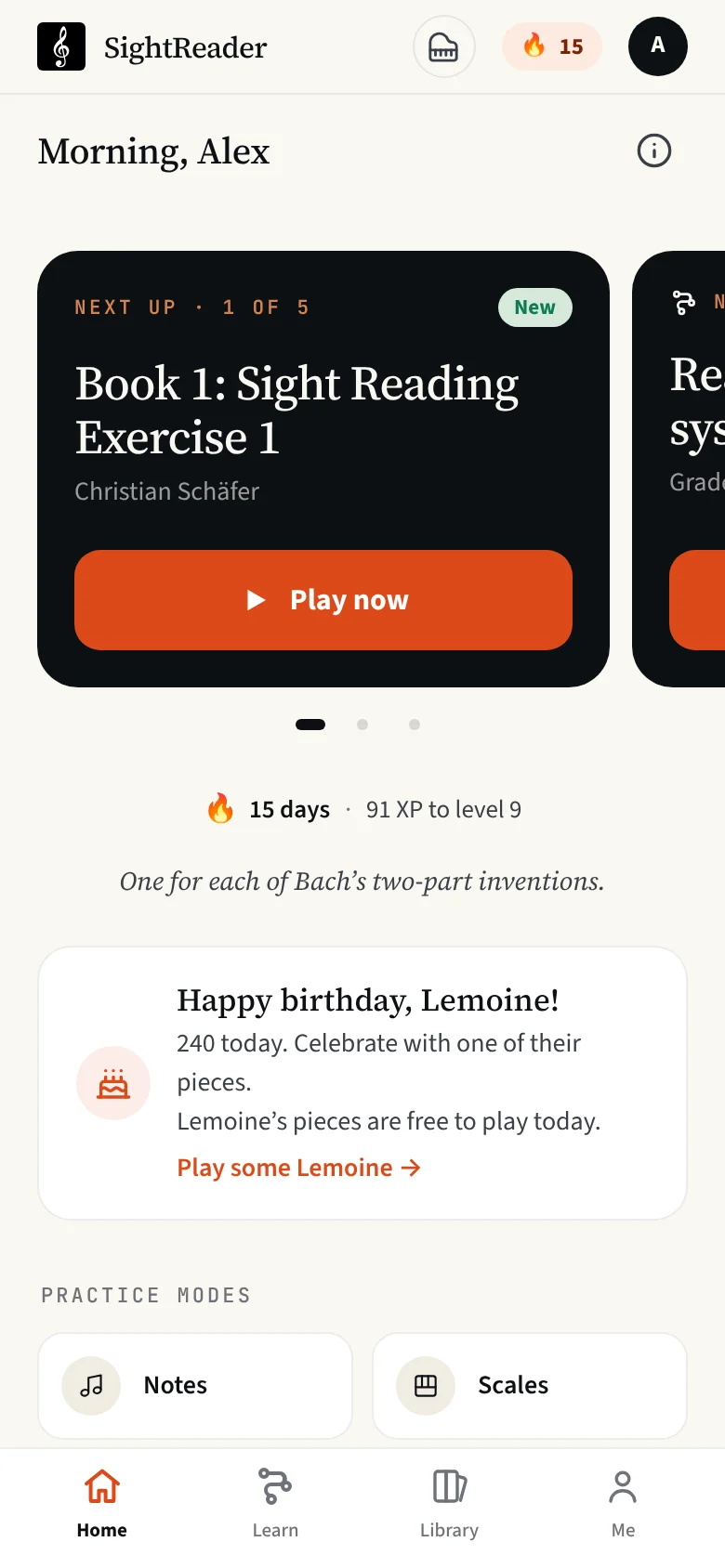
SightReader has grown a lot this year, and it was getting harder to find your way around. So this month we’ve simplified things.
The app now has four tabs: Home, Learn, Library and Me. Home leads with one thing to do next, which might be your teacher’s assignment, your next lesson or your next piece. Swipe it on a phone to see the next step in everything else you’ve been practising lately.
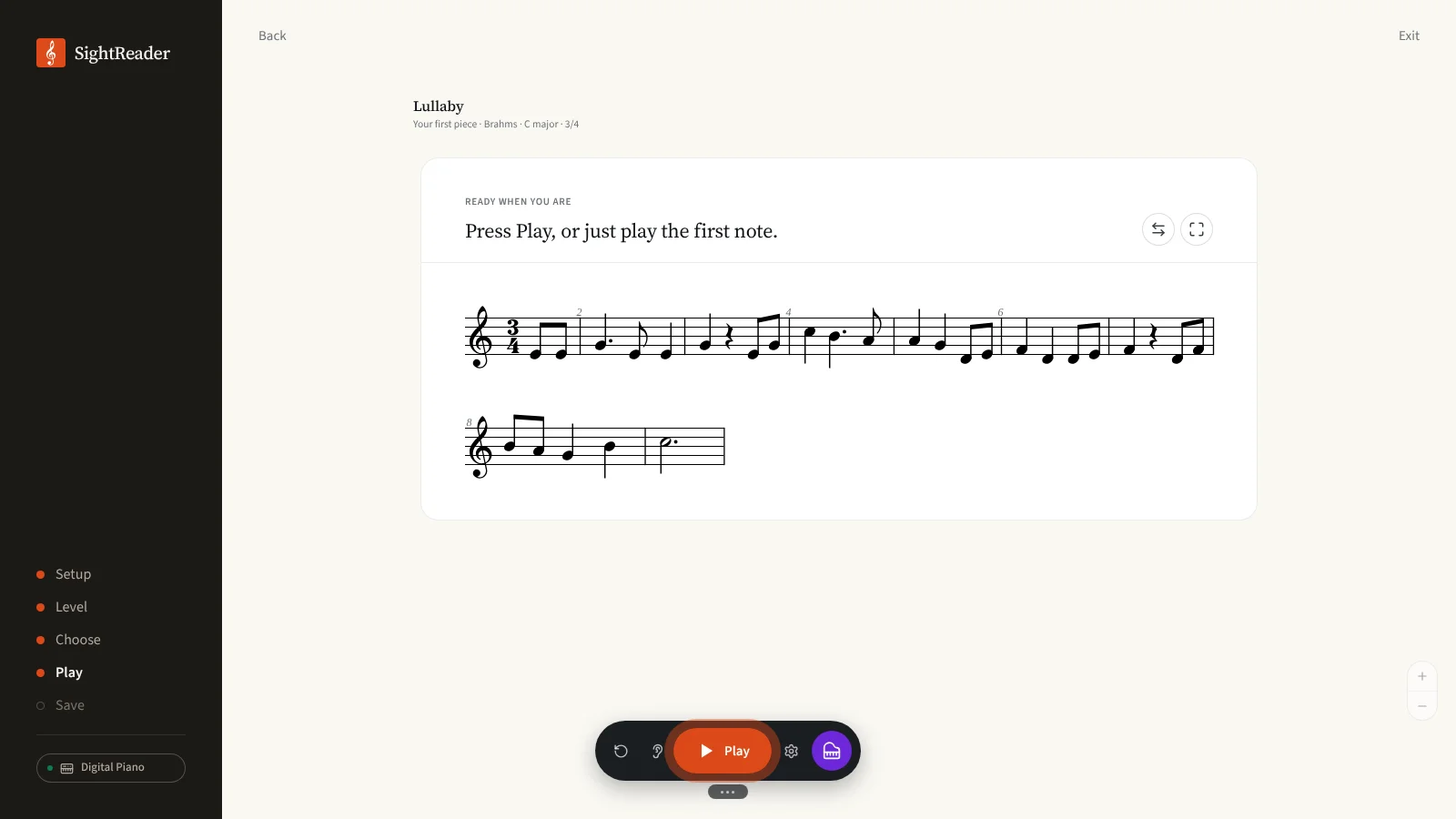
It’s also easier to get started. Signed out, the app now opens on a short piece instead of a sign-in screen, and whatever you play before you sign up is kept and added to your new account. You don’t even need to press Play: just play the first note and you’re off. If you play an acoustic piano, a quick microphone check makes sure SightReader can hear you before your first piece. And if you can already read music, a short placement test lets you skip the early grades in Lessons.
Two more changes I’m especially pleased with. There’s now a dark mode, which darkens the score too. You’ll find it under Appearance in Preferences.
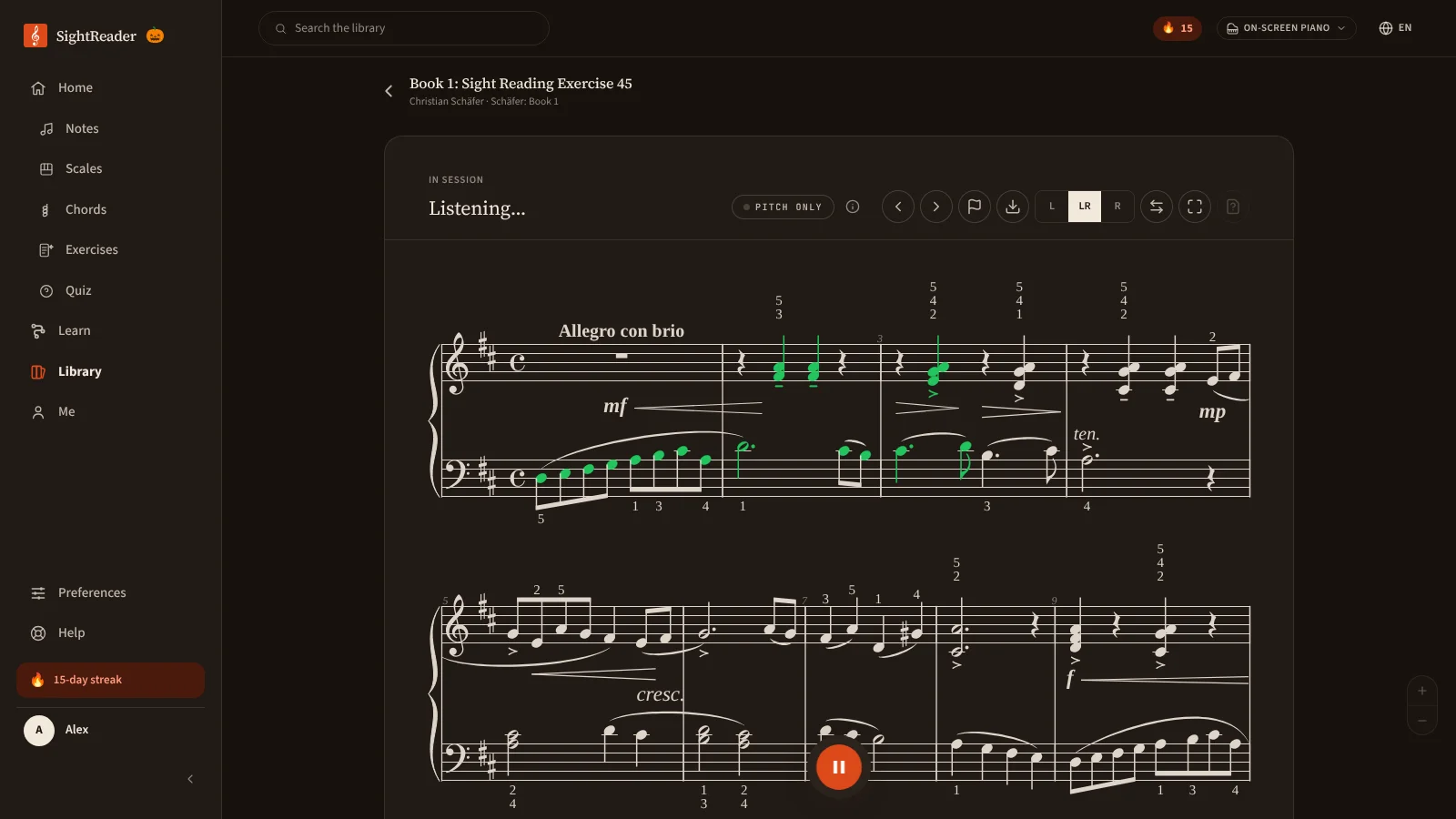
And settings have been reorganised, with a search box: type “louder”, “lag” or “bluetooth” and only the matching settings stay on screen.
Everything else
Those are the biggest changes, but there are plenty more. Wait for the right note now picks out the one wrong note in a chord, and tells you when you’re playing in the wrong octave. You can hide fingering numbers, or read with no beat marker at all, like a printed page. Before you play a library piece, there’s a quick quiz on its key, rhythm and markings. There are 23 new badges, and if you play the opening of a famous tune between pieces, SightReader will name it. On a composer’s birthday, all their pieces are free for everyone to play, as Henry Lemoine’s were this week for his 240th. On your account page, you can now give a friend a month of Pro (and get a month back when they subscribe), pause Pro for up to three months if you pay monthly on the web, change your email address, or download a copy of your data. The full list is on the changelog.
Faster and more reliable
This last section is a little more technical, so skip ahead if you like! But a lot of October’s work went into things you’ll never see, and I think it’s worth a few words.
The piano sounds sooner. The first note now needs a download an eighth of the size it used to, with the rest of the piano arriving in the background. Big chords and fast passages no longer crackle on phones with the volume turned up. And when we release an update, the app no longer downloads itself again in full.
Your stars appear the moment you finish. Every practice run is now saved on your device first and sent to your account in the background. The results card doesn’t wait for the internet, and if you’re offline, nothing is lost: drills, lessons and pieces sync as soon as you’re back online. On a shared device, your practice only ever goes to the account that played it.
Pages load faster, wherever you are. Our database is in Dublin, but the server that builds each page used to run wherever Cloudflare chose, sometimes on the other side of the world. Every trip from there to the database could take up to half a second, and a page often needed several. In October we moved that server next to the database, and we halved the number of questions each page asks it. For people outside Europe, the slowest pages are now about three times faster than they were. For everyone else, things should simply feel snappier.
If you missed the last two round-ups, August covers the iPhone and Android apps, Pitch & Rhythm mode and Exercises, and September covers Lessons, Studies and the weekly quiz.
As always, I love hearing from people who use SightReader. If you have anything to share, good or bad, please email me at hello@sightreader.app. Thanks for reading, and happy practising!
— Bret